Pausing your membership allows you to delay your next renewal payment for one or two months at the end of your current billing cycle. Some memberships cannot be paused, including free trials, installment memberships, gift memberships, family plan memberships, preserve my tree memberships, and memberships purchased through Ancestry's app.
How to pause your membership
From the Ancestry app on a phone or tablet
- Select your profile icon in the top-left corner of your device
- Under Settings, choose Account
- In the Membership section, choose Manage
- Select Cancel membership
- Choose Pause membership and tap Continue
- Choose 1 month or 2 months, then select Pause
From a computer browser
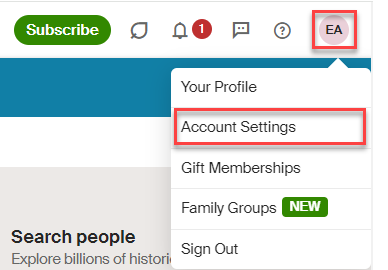
- Go to Account Settings (or from the top-right corner of any page on Ancestry, select your profle and choose Account Settings.) If prompted, sign in.
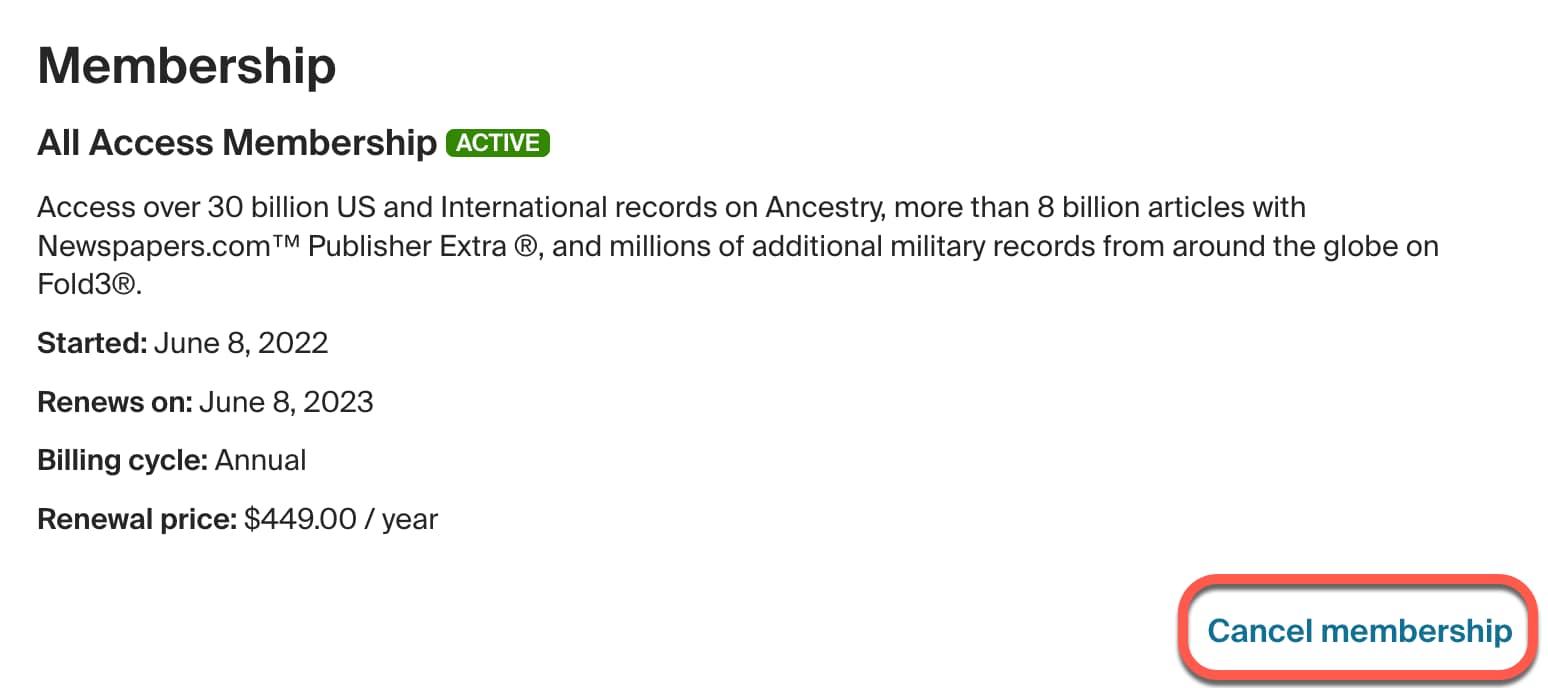
- In the Membership section, choose Cancel membership.
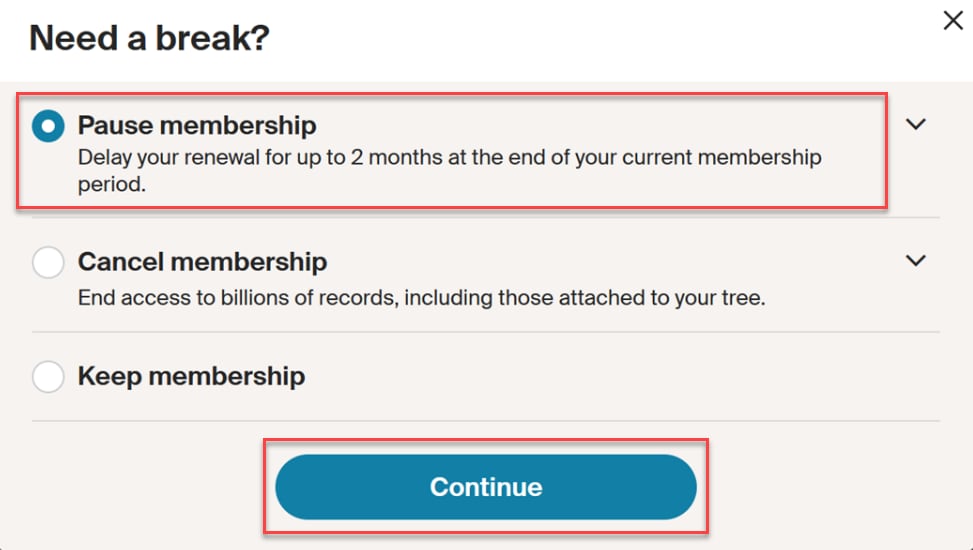
- Choose Pause Membership, then select Continue.
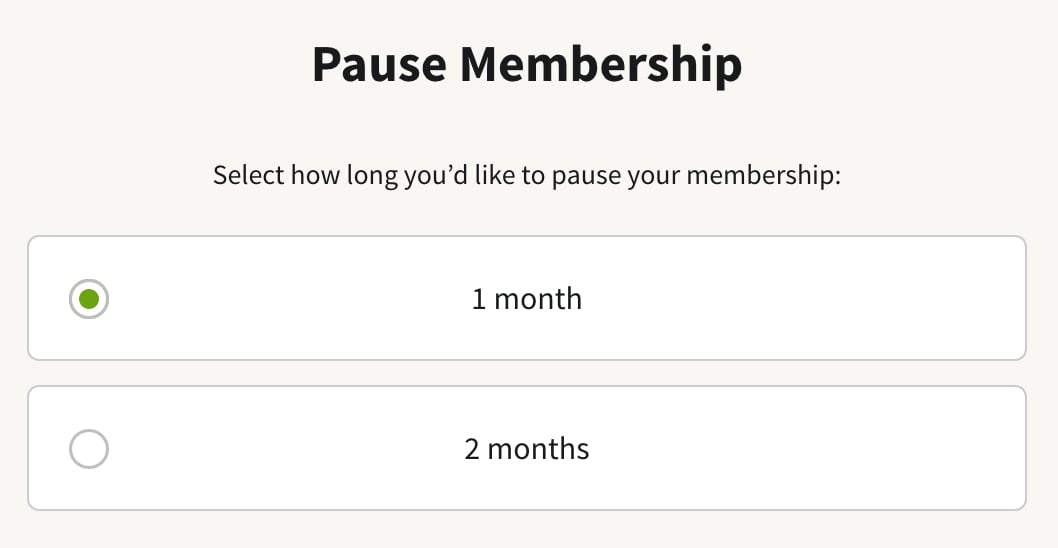
- Choose 1 month or 2 months, then select Pause.
Pausing your membership
When you pause your membership, the pause begins at the end of your current membership period (not on the day you set up the pause). To find this date, select your name in the top-right corner of Ancestry > Account Settings > Membership section > Renews on date.

Once your membership is paused, you’ll receive an email confirming the pause, and a reminder email before it starts again.
While your membership is paused, you’ll be able to sign in to your Ancestry account and view your tree, but you won’t be able to view most records, including records you’ve attached to your tree. Your membership will automatically reactivate when your pause ends. Once your membership starts up again, you’ll have the same membership type and length you had before, with the same access to records you had before the pause.
If you decide during the pause that you want to end the pause earlier or later than its end date, cancel your membership and restart it whenever you’re ready. When a membership is canceled, you still have an account with Ancestry as a registered guest. You will continue to have access to any trees you have created as well as your AncestryDNA results and DNA matches.
Installment memberships, family plan memberships, specialty memberships, gift memberships, and free trials
Installment memberships (memberships longer than one month, billed monthly), family plan memberships, preserve my tree memberships, and free trials cannot be paused. Gift memberships do not automatically renew, so you can start a new membership anytime after a gift membership ends. To cancel a family plan, see Ancestry Family Plan Memberships. To cancel a free trial, installment, or preserve my tree membership, select your profile in the top-right corner of Ancestry and choose Account Settings. In the Membership section, select Cancel membership or Cancel free trial and follow the on-screen directions. You can always restart your membership after your free trial ends.
Memberships purchased through the Ancestry App
Ancestry memberships purchased through the Ancestry app are purchased through the Apple App Store (if you have an iPhone), Google Play (if you have an Android or Google phone), or Amazon if you downloaded the Amazon Appstore. Because these memberships are purchased through a third party, they cannot be paused. To cancel your membership, see Canceling a Membership Purchased in the Ancestry App. You can always restart your membership after it ends.
Frequently asked questions
Can I extend the pause beyond 2 months?
Only one pause can be used per membership billing period.
Will I still have access to my tree, AncestryDNA results, and matches during the pause?
Yes. Your account will revert to a registered guest account during your pause. You will retain access to any trees you built, your AncestryDNA results, and matches. Without a membership, you can't see paid content, like many records, other members' trees (unless invited), and some DNA features. For details on which DNA features you can access with or without a membership, see AncestryDNA and Memberships.
Why pause vs cancel?
Both pausing and canceling revert your membership to a registered guest account. A canceled membership can be restarted at any time.
A pause goes into effect on your membership renewal date. If you'd like to delay renewal for 1 or 2 months, pausing is an option. This pause will delay your next billing and automatic renewal date.
Why don't I have the option to pause?
Some memberships cannot be paused, including installment memberships (memberships longer than one month, billed monthly), family plan memberships, preserve my tree memberships, gift memberships, free trials, and memberships purchased through the Ancestry app. If you'd like to cancel your membership, your account will revert to a registered guest account and you can restart it at any time.