Adding a same-sex spouse or partner
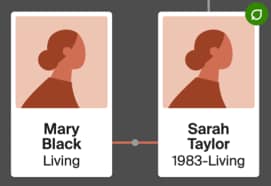
- Go to your tree and select a person whose relationship you want to add.
- In the opened card, click More options
 (the three horizontal dots) and choose +Add relative.
 - Choose Spouse even if the couple isn't married; you'll change the relationship type later.
- Choose to add a New person or connect someone From your tree.
New person:- Enter the spouse or partner's name, then select the gender.
- If the couple isn't married, under the "Relationship," select Spouse and change the relationship to Partner (or one of the other relationships).
- Enter the spouse or partner’s living status, birthdate, and birthplace.
- If asked, check the boxes next to children in this couple’s relationship and uncheck boxes for children from other relationships.
- Click Save.
From your tree:- Enter the spouse or partner's name and select it when it appears.
- If asked, check the boxes next to children in this couple’s relationship and uncheck boxes for children from other relationships.
- Click Save.
- To change their relationship type from spouse to something else, see Defining Relationship Types within a Family Tree.
Adding same-sex parents
- Go to your tree and find the person you want to add same-sex parents to.
- Choose Add Father or Add Mother.
- If neither parent is in the tree, choose either parent.
- If one parent is already listed, choose the unentered one,regardless of default gender (you can change the gender later.)
- Choose to add a New person or connect someone From your tree.
New person:- Enter the parent’s name, gender, living status, birthdate, and birthplace.
- Click Save.
From your tree:- Enter the parent’s name and select it when it appears.
- Click Save.
To add a second parent, repeat these steps for the other parent.
Frequently asked questions
How do I specify the type of relationship between a child and their parents, like adopted, biological, and unknown?
For help specifying the type of relationship between a child and their parents, see Defining Relationship Types within a Family Tree.
Only one parent is visible when viewing the tree, but both parents appear in the child's relationships. How do I correct this?
To fix this, make sure one parent is in the mother's position and the other is in the father's position, regardless of gender. If both parents are in the same position, only the preferred parent is shown. To display both parents, detach one and reattach them to the open parent position. For help, see Fixing Relationships in Trees.